How do I book an activity?
You can make a booking as a guest or as a registered user. For a faster checkout and to easily manage your bookings, we recommend creating an account.
How to Book an experience?
Follow these simple steps to find and book your perfect trip:
1. Use the Search & Filter Tool
- Go to our website: visitlocaltravel.com
- Use the filters to select your desired Destination and Activity Type.
- Click “Search” to see a curated list of matching trips.
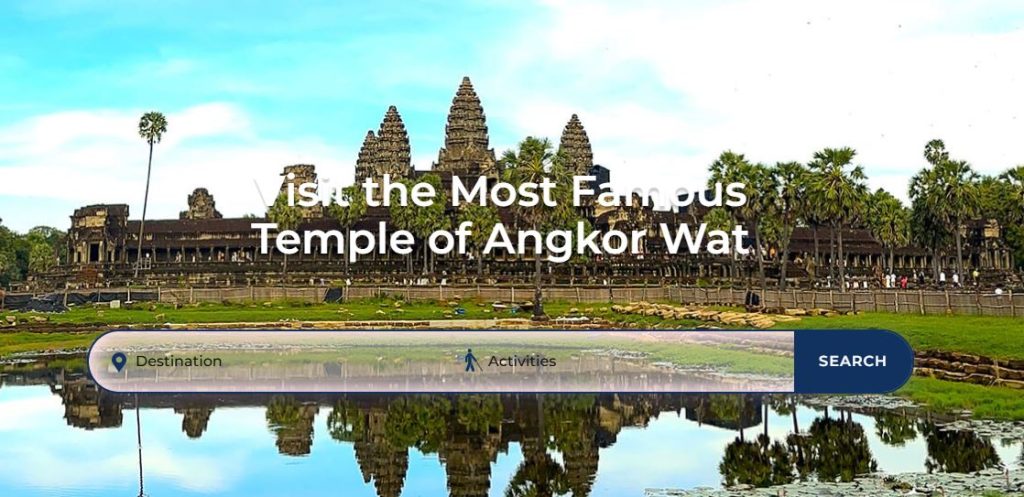
2. Browse All Available Tours
- Navigate to the “Our Tours” section.
- You will see our complete collection of trips. Use the available filters (e.g., Destination, Activity, Trip Type) to narrow down the results and find your ideal tour.
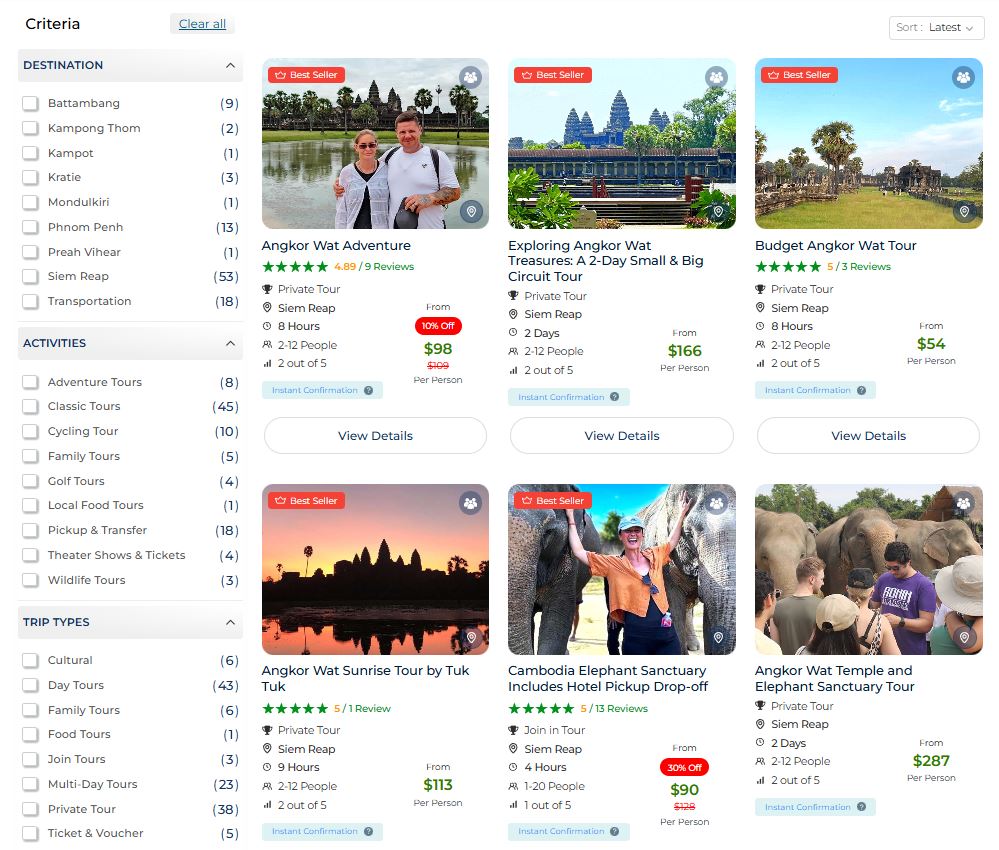
3. Explore Tour Pages Directly
- For Day Trips: Visit our “Day Tours” page, then select your destination to see all available day trips in that area.
- For Multi-Day Tours: Click on “Multi-Day Tours” in the menu to view all of our tour packages on a single page.
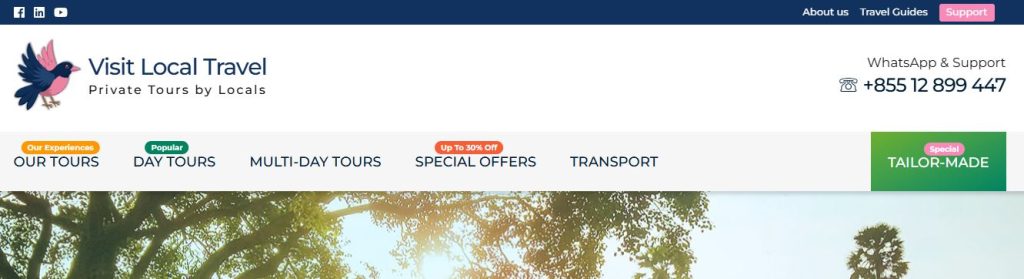
4. Create Your Custom Tour
- If you can’t find what you’re looking for, click on “Tailor-Made“.
- Fill out the custom tour request form with your preferences.
- Our expert team will review your request and get back to you within 6-12 hours with a personalized itinerary and price quote.
How to Process a Booking?
Follow these steps to complete a booking for your chosen trip.
Step 1: Select Your Trip
Open the trip you wish to book and click the “Check Availability” button.
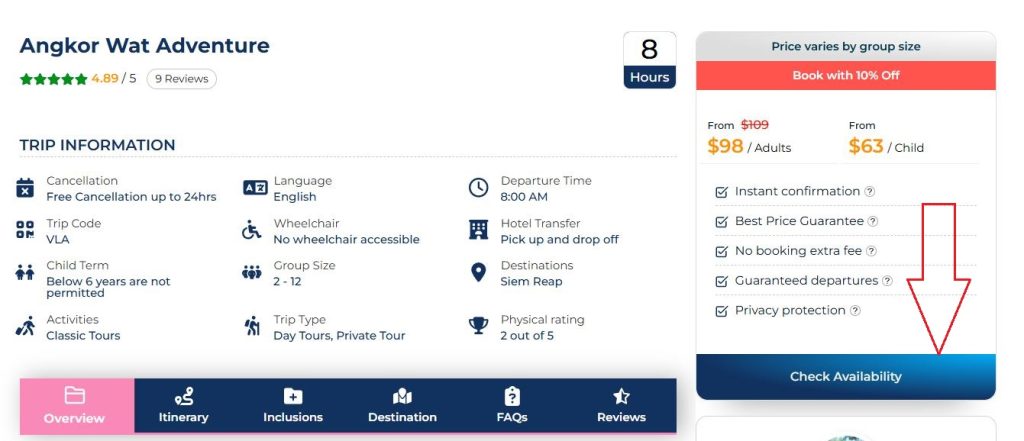
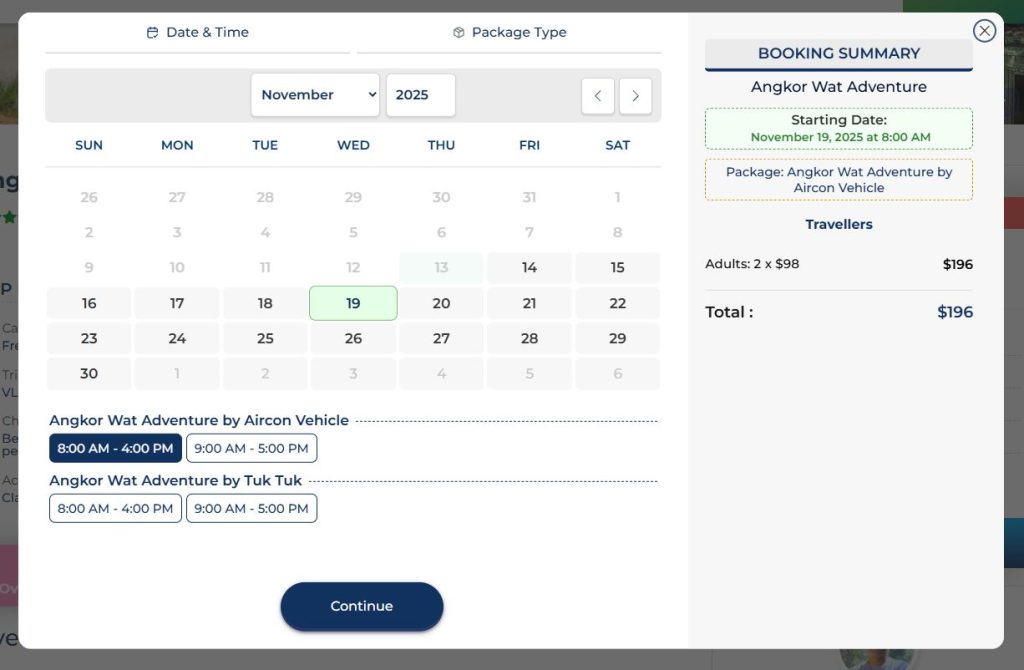
Step 2: Choose Date & Time
Select your preferred date and departure time, then press “Continue.”
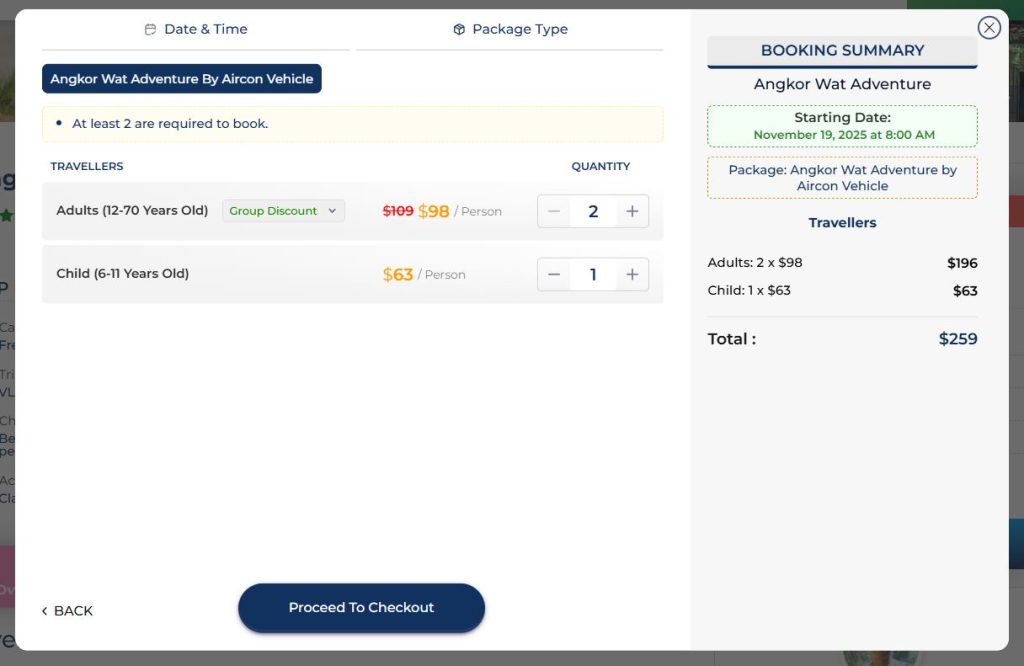
Step 3: Specify Travelers
Enter the number of customers (adults and children). Then, click the “Process to Checkout” button.
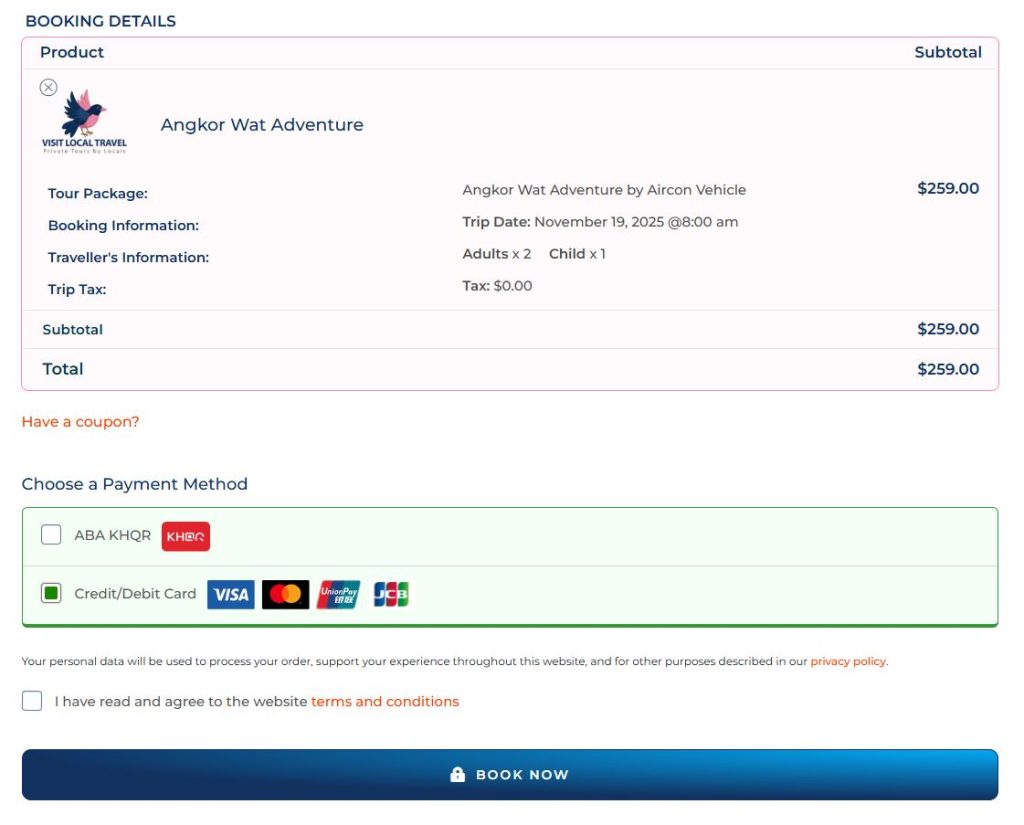
Step 4: Complete Booking Details
Fill out the Booking Information Form, select your preferred payment method, and click the “Book Now” button.
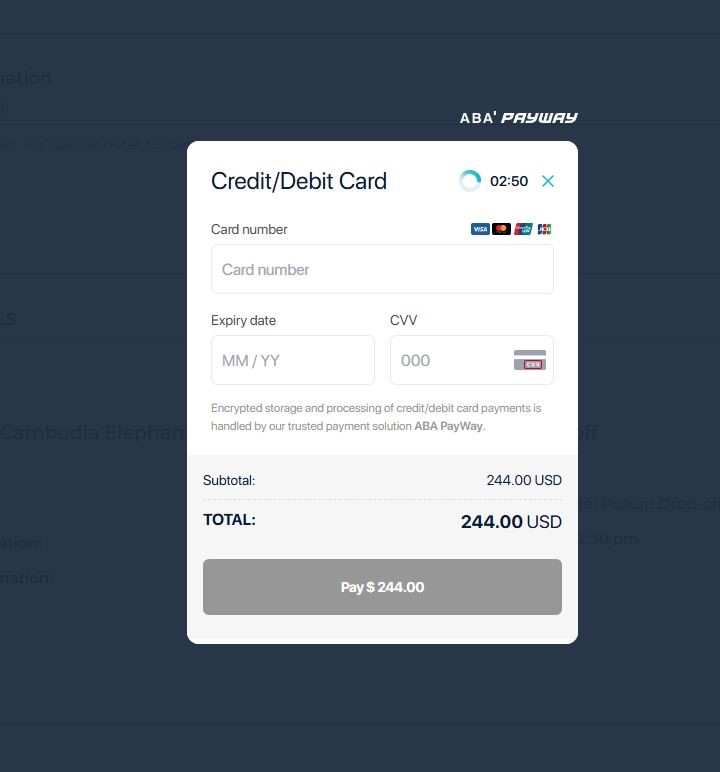
Step 5: Finalize Payment
Provide your payment information to complete the transaction. Your booking will then be confirmed!
Done! Your booking process is now complete.