How do I create a Visit Local Travel account?
Sign up to unlock the full experience!
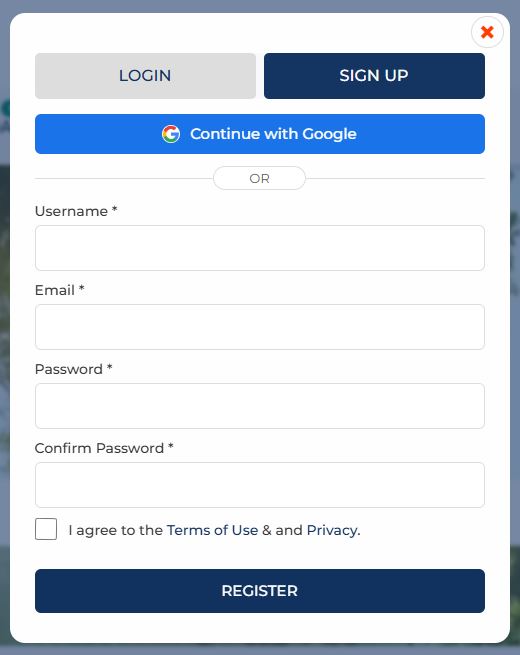
You can sign up for a Visit Local Tavel account by Google or alternatively, by using your email address.
1. Sign up wit Google account
- Make sure your Gmail or Google Account has been signed in on your browser.
- Then click on the Google (Continue with Google)
- Then select Gmail that you want to us, then it will automatically sign in to your account.
Upon successful account creation, you will be redirecting to your personal dashboard.
2. Sign up with your email
- On the top bar, click on ‘Login‘
- To sign up with your email, click on ‘Sign Up‘ tab
- Enter your “Username” and “Email Adress“
- Enter your login Password and Confirm Password
- Accetp terms of use and policy provacy
- Verify reCatpcha then click “Register” button.
Then you will authomatically signin to your personal dashboard.